Best Wireless and AirPlay Speakers for Small Businesses: Why Sonos Wins (2026)
Compare Sonos Era 100, Era 300, Five, Move 2, and Amp for shops, cafes, and offices. AirPlay 2, multi-room setup, and licensed business music guidance.

As an Amazon Associate, BaseLynk earns from qualifying purchases. Amazon prices change, so we do not list them here. Use the "Check price on Amazon" links when you are ready to buy. We last checked official Sonos and Amazon listings on November 27, 2026.
In short: For a small shop, salon, cafe, or office, start with a Sonos Era 100 (or a stereo pair). Step up to the Five or a pair of Era 300 speakers in a larger room. Use Move 2 on a patio, and Amp if you already have ceiling or in-wall speakers. The speakers handle the sound. A licensed business music service handles the legal right to play it.
Why Sonos is the Right Call for Small Businesses
A shop or cafe needs music that is easy to start, easy to keep consistent, and easy to expand as you add rooms. The current Sonos lineup does that with WiFi streaming, Apple AirPlay 2 on the models in this guide, and app-based grouping so the front of house, the back room, and a patio can play the same playlist in sync.
That is the hardware side. The music license is separate, and it matters as much as the speakers. A personal Spotify or Apple Music account is not a business license. We cover legal playback below, including services that work on Sonos.
One more framing note: the products below are the current consumer models sold on Amazon. Sonos also offers Sonos Pro, a U.S. business subscription with a management dashboard and licensed background music, plus Era 100 Pro for professionally installed commercial systems. If you want staff locks, schedules, and licensed stations from day one, look at Sonos Pro alongside the speakers.

What to Buy for Your Space
Small shop, salon, or office: Era 100
Era 100 is the compact everyday speaker. Official specs include three class-D amplifiers, two angled tweeters for stereo, one midwoofer, WiFi 6, Bluetooth 5.3, AirPlay 2, and Trueplay. Ethernet and 3.5 mm line-in are available with the Sonos Combo Adapter or Line-In Adapter, both sold separately. It is listed as humidity resistant, which helps in a salon or restroom, but Sonos does not give it an outdoor IP rating.
Start with one speaker on a counter or shelf. Add a second Era 100 and stereo-pair them if the room is open or you want more even coverage. Sub Mini can be added later.
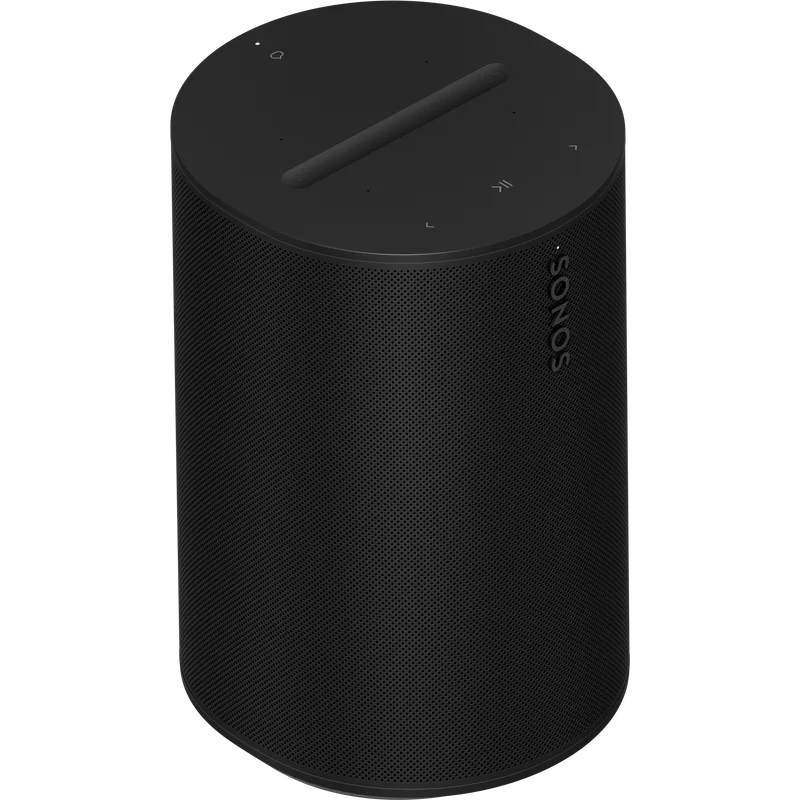
Large room, cafe, or bar: Five or Era 300
Five is Sonos's most powerful wireless hi-fi speaker. It uses six class-D amplifiers, three tweeters, and three midwoofers in a sealed cabinet. It has a built-in 3.5 mm line-in, a 10/100 Ethernet port, AirPlay 2, and Trueplay (a supported iOS device is required). There is no Bluetooth. Place one speaker horizontally for stereo, or pair two vertically for a wider stereo image. This is the better pick when the room is large and you want weight and vocals to hold up over conversation.
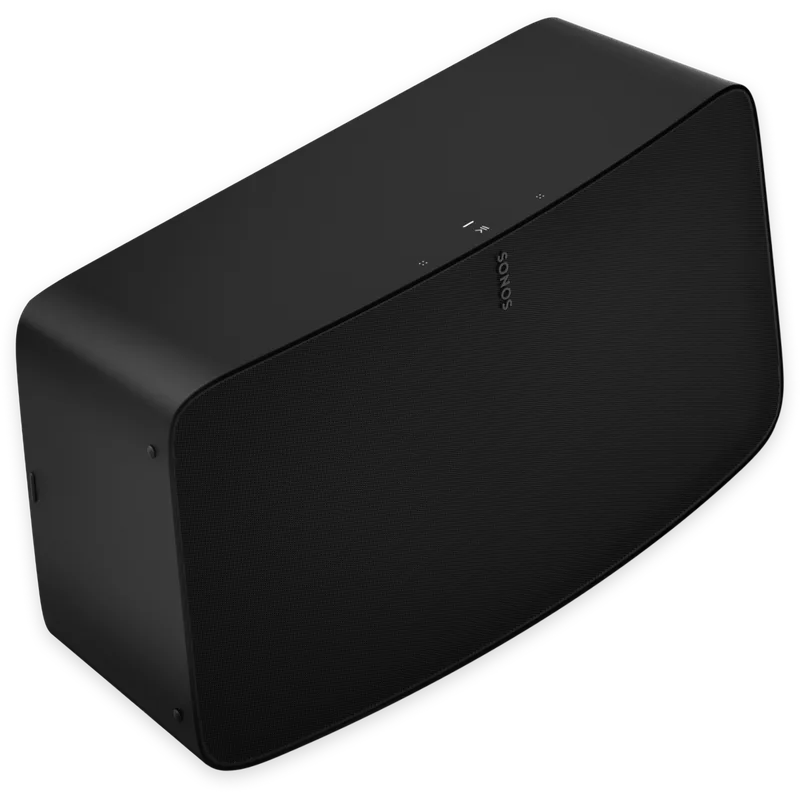
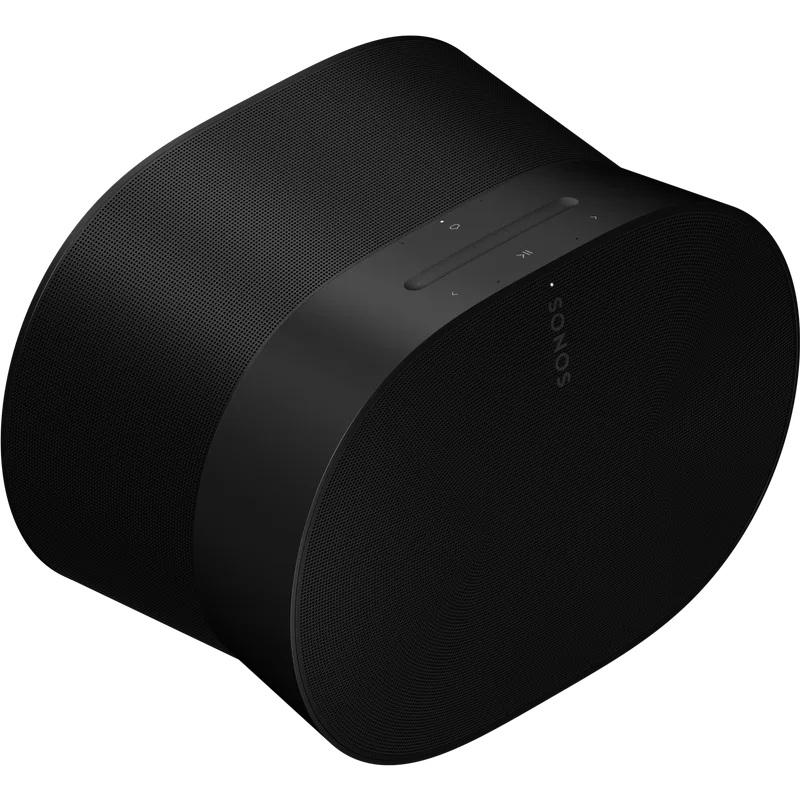
Era 300 is the wider, spatial option. It uses six amplifiers and six drivers, including side- and upward-firing tweeters, and supports Dolby Atmos. It has WiFi 6, Bluetooth 5.3, AirPlay 2, and Trueplay on iOS and Android (Android uses Trueplay's quick tuning). Like Era 100, Ethernet and line-in need Sonos adapters. Choose Era 300 when you want a more spacious soundstage, or a stereo pair for a big, open room. Add Sub Mini if you want more low end.
Check Five price on Amazon Check Era 300 price on Amazon
Patio or outdoor space: Move 2, or Amp for a permanent install
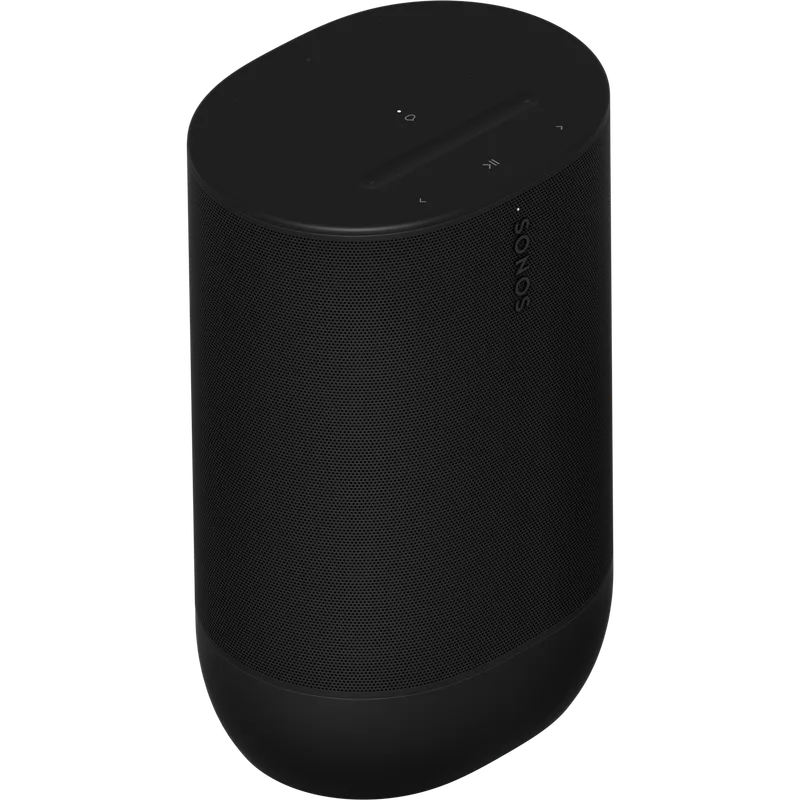
Move 2 is the portable speaker built for indoor-outdoor use. It is rated IP56 for dust and water resistance, has up to 24 hours of playback, WiFi 6, Bluetooth 5.3, AirPlay 2 over WiFi, automatic Trueplay, and an official operating range of 32°F to 104°F (0°C to 40°C). The charging base is for indoor use only. Ethernet and line-in require the Combo or Line-In Adapter. It will not pair with Sub Mini as a standalone portable speaker.
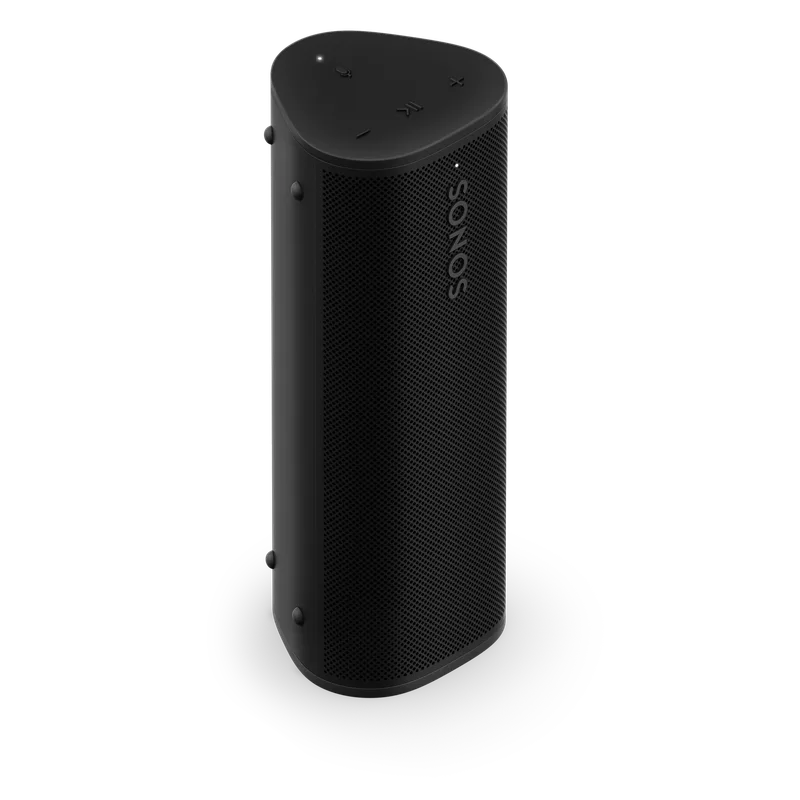
Roam 2 is the smaller, more waterproof option (IP67, up to 10 hours, AirPlay 2 over WiFi, automatic Trueplay). Official operating temperature is tighter: 41°F to 95°F (5°C to 35°C). It has no Ethernet port. Use it as a compact overflow speaker, not as the main system for a large patio.
For a patio you want wired and always on, use Amp with outdoor-rated passive speakers. Sonos says Trueplay is not supported on its Outdoor architectural speakers, but Amp still gives you WiFi, AirPlay 2, and multi-room grouping with the rest of the system.
Check Move 2 price on Amazon Check Roam 2 price on Amazon
Office or back room
An office or break room is usually an Era 100 job. If the space is a single large open office, a stereo pair, or one Five, will cover it more evenly. Group the office with the front of house when you want the same playlist, or leave it as its own room when you do not.
Existing ceiling or in-wall speakers: Amp
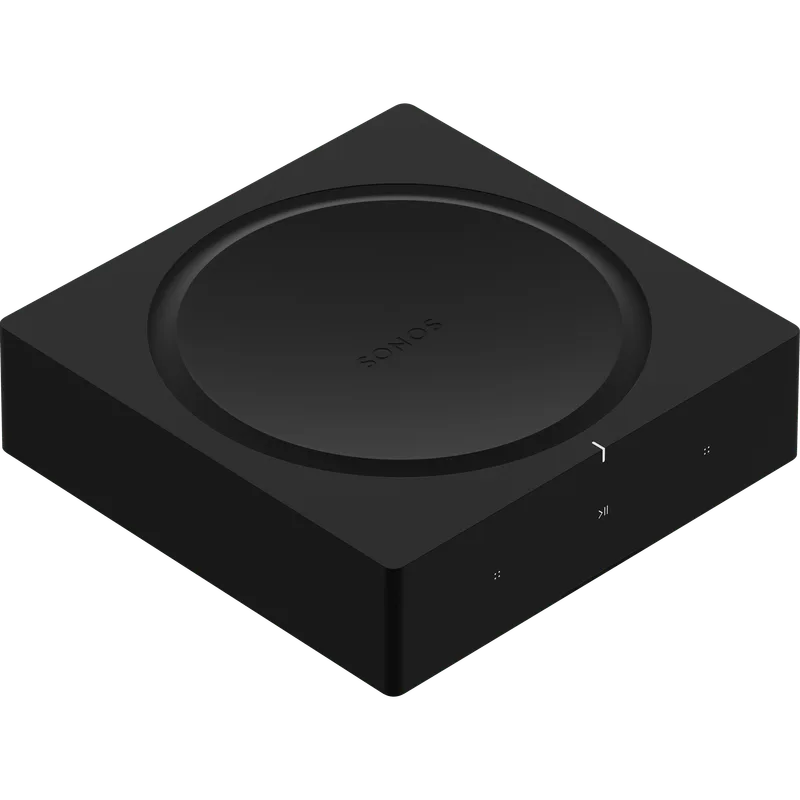
Amp is the path that saves a wiring job you already paid for. Official specs: 125 watts per channel into 8 ohms, stereo or dual mono, dual 10/100 Ethernet ports, RCA line-in, HDMI ARC, a subwoofer output, and AirPlay 2. One Amp can power up to three pairs (six speakers) of Sonos Architectural speakers wired in parallel, as one zone with one volume. Trueplay is available when Amp is powering supported Sonos in-wall or in-ceiling speakers and you have a supported iOS device.
Amp also works with many third-party passive speakers. If you want Sonos's own in-ceiling models, those are sold as pairs and are tuned for Amp. Sub Mini can be paired with Amp.
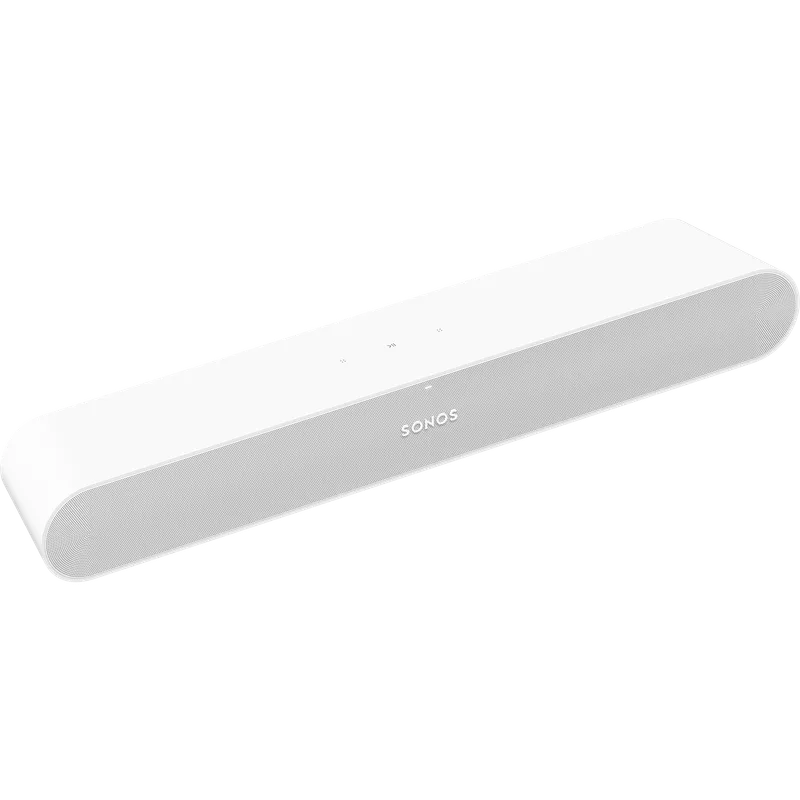
Waiting-room TV: Ray
Ray is a compact soundbar, not a shop-floor music speaker. It connects to a TV with the included optical cable, has Ethernet, AirPlay 2, and Trueplay (iOS required). It is a reasonable add-on if you already have a Sonos system and want clearer TV sound in a waiting area. For music-only rooms, buy Era 100, Five, or Amp instead.
Adding bass: Sub Mini
Sub Mini is a compact wireless subwoofer with dual inward-facing 6-inch woofers, response as low as 25 Hz, WiFi, and a 10/100 Ethernet port. Sonos says it pairs with most amplified, non-portable products running current software, including Era 100, Era 300, Five, Amp, and Ray. It does not pair with Move 2 or Roam 2 as standalone portables. Trueplay for Sub Mini requires a supported iOS device.
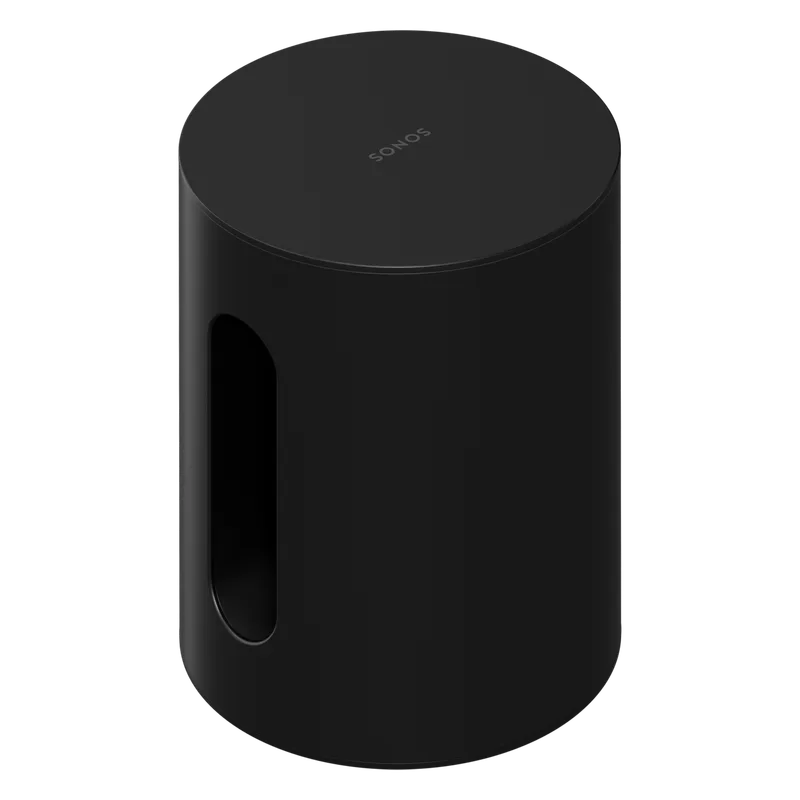
Check Sub Mini price on Amazon
AirPlay 2, Multi-Room, Trueplay, and Wiring
AirPlay 2. Era 100, Era 300, Five, Move 2, Roam 2, Amp, and Ray all work with AirPlay 2 on Apple devices running iOS 11.4 or later. Move 2 and Roam 2 support AirPlay 2 over WiFi. Sub Mini does not accept AirPlay on its own. Sonos says that when an AirPlay-compatible product is playing AirPlay audio, you can group it with other Sonos products for multi-room playback. AirPlay is not available on speakers that are set up as surrounds.
Multi-room grouping. In the Sonos app, you can group rooms so they play the same content in sync, then adjust group volume or each room's volume. You can also press and hold Play/Pause on a product to group it with a room that is already playing. If you have three or more products, the app includes an Everywhere option.
Trueplay. Trueplay tunes a speaker to the room. Full Trueplay generally needs a supported iOS or iPadOS device (Sonos lists some iPad models as currently unsupported). Android can use Trueplay's quick tuning on Era 100, Era 100 Pro, and Era 300 (and a few soundbars not covered here). Move 2 and Roam 2 use automatic Trueplay, which retunes as the speaker moves. Amp supports Trueplay only with supported Sonos in-wall or in-ceiling speakers, not Outdoor models. Five and Sub Mini require iOS for Trueplay.
WiFi vs. Ethernet. All of these products work over WiFi. Hardwiring is the more reliable choice in a busy shop. Five, Amp, Ray, and Sub Mini have built-in Ethernet (Amp has two ports). Era 100, Era 300, and Move 2 need the Sonos Combo Adapter. Roam 2 has no Ethernet option. Amp also lets you turn WiFi off once it is on Ethernet, which can help when the unit is in a rack.
How Many Speakers Do You Need?
Sonos does not publish a simple square-footage chart, so treat this as starting guidance, not a formula. Walk the space and listen before you stop buying.
- One small room (boutique, salon station area, private office): one Era 100. Add a second and stereo-pair them if corners feel thin.
- One large room (open cafe, bar, gym floor for background music): one Five, a stereo pair of Era 100 or Era 300, and Sub Mini if you want more bass.
- Several rooms or a front and back: one speaker (or pair) per distinct area, then group them in the app. That keeps volume independent for a quiet office and a louder sales floor.
- Patio: one Move 2 for a small outdoor seating area; more than one if the patio is large. For a permanent install, use Amp and outdoor-rated speakers.
- Already wired ceilings: one Amp per zone. One Amp can run up to three pairs of Sonos Architectural speakers at a single volume.
It is usually better to add a second speaker than to turn one speaker up until it sounds harsh at the far end of the room.
Comparison
| Product | Best for | AirPlay 2 | Ethernet | Bluetooth | Trueplay |
|---|---|---|---|---|---|
| Era 100 | Small shops, salons, offices | Yes | Combo Adapter (sold separately) | Yes (5.3) | iOS; Android quick tuning |
| Era 300 | Larger rooms, wider soundstage | Yes | Combo Adapter (sold separately) | Yes (5.3) | iOS; Android quick tuning |
| Five | Large rooms, bars, busy cafes | Yes | Built-in 10/100 | No | iOS |
| Move 2 | Patio and portable use (IP56) | Yes, on WiFi | Combo Adapter (sold separately) | Yes (5.3) | Automatic |
| Roam 2 | Small outdoor or overflow (IP67) | Yes, on WiFi | No | Yes (5.2) | Automatic |
| Sub Mini | Bass for compatible non-portable speakers | No (pairs with a speaker) | Built-in 10/100 | No | iOS, with the paired system |
| Amp | Existing ceiling, in-wall, or outdoor speakers | Yes | Dual 10/100 | No | iOS, with supported in-wall or in-ceiling Sonos speakers |
| Ray | Waiting-room TV | Yes | Built-in 10/100 | No | iOS |
Licensed Music for Business (Do Not Use Your Personal Account)
This is the part many shops get wrong. Playing music in a retail floor, restaurant, salon, or similar public space generally requires a commercial public-performance license. A consumer streaming login does not provide that.
Spotify says, in its public- and commercial-use article, that Spotify is only for personal, non-commercial use. You cannot broadcast or play it publicly from a business such as a bar, restaurant, school, store, salon, or dance studio. Spotify points commercial users to Soundtrack.
Apple Music is covered by Apple's Media Services Terms and Conditions (updated September 14, 2026). Those terms say you may use the services and content only for personal, noncommercial purposes, and that delivery of the service does not transfer commercial or promotional use rights.
Sonos makes the same point in its commercially licensed music guide: a consumer Apple Music or Spotify subscription licenses personal use, not commercial playback on a sales floor or in a dining room while the business is open. In the United States, public performance rights are administered by PROs such as ASCAP, BMI, and SESAC (and others).
Use a service that is licensed for business playback. These work with Sonos:
- Sonos Pro and Sonos Backgrounds. Sonos Pro is currently available in the United States. It includes Sonos Backgrounds, which Sonos says carries commercial licensing with all major U.S. PROs for retail, restaurant, or business spaces, plus a dashboard for scheduling, volume limits, multi-location control, and the option to disable AirPlay 2 or line-in so customers cannot hijack the system. Sonos Pro works with existing Sonos hardware, including Amp.
- Soundtrack Your Brand. Official Sonos support lists Soundtrack as a business service with a large licensed catalog, business playlists, and an explicit-content filter. You need a Soundtrack Essential or Unlimited plan. Spotify itself refers commercial users to Soundtrack.
- Rockbot. Rockbot has a direct Sonos integration: add Rockbot as a service in the Sonos controller, with no extra hardware required. Playback follows business hours from the Rockbot dashboard or Remote app. Rockbot says this audio-only path stops during an internet outage; its separate Player device is the option that can keep playing through an outage. In the U.S., Rockbot says it covers PRO licensing (ASCAP, BMI, SESAC, and GMR) for music streamed through Rockbot Music, not for DJs, live bands, karaoke, or other sources.
- Pandora CloudCover. You can add Pandora CloudCover as a music service in the Sonos app and play it on Sonos speakers and Amps. CloudCover also documents line-in and CloudBox setups. Its support center says U.S. plans include public-performance coverage through ASCAP, BMI, GMR, and SESAC for background music played through the platform. Classes, ticketed events, DJs, and live entertainment can fall outside that coverage.
Sonos Pro's FAQ also lists other commercial services, including Qsic, Mood Mix, Custom Channels, SOUNDMACHINE, Jukeboxy, and Tribe of Noise. Confirm current availability in your Sonos app or Pro dashboard before you subscribe.
Gyms and classes: Sonos says Sonos Pro can be used in a fitness studio, but the licensed music that comes with the plan should be limited to common areas such as a lobby or locker room. When music is part of a fitness class, Sonos says that is a public performance that needs an additional license. CloudCover and Rockbot publish similar limits for instructor-led or featured entertainment uses. If music is part of the class, ask your provider what is covered before you hit play.
This section is general information, not legal advice. Confirm current terms with the service you choose.
Quick FAQ
Can I play Spotify or Apple Music in my business?
No. Use a commercially licensed service such as Soundtrack Your Brand, Rockbot, Pandora CloudCover, or Sonos Backgrounds through Sonos Pro. Spotify and Apple's terms limit those consumer apps to personal, noncommercial use.
Do these speakers support AirPlay 2?
Yes, except Sub Mini, which pairs with a compatible speaker instead of taking AirPlay on its own. Move 2 and Roam 2 support AirPlay 2 over WiFi.
Can I use Sonos with existing ceiling speakers?
Yes. Amp powers passive in-wall, in-ceiling, or outdoor speakers and joins the same Sonos system as Era 100, Five, and the rest.
Do I need Sonos Pro?
Not to make the speakers work. You do need a licensed music source, and Sonos Pro is the Sonos-native way to get that plus scheduling and staff controls. Regular consumer hardware on Amazon can still be the right speakers for a small shop.
Will Sub Mini work with Move 2 or Roam 2?
Not when those portables are used as standalone speakers. Pair Sub Mini with Era 100, Era 300, Five, Amp, or Ray instead.
Before You Buy
Buy from Amazon or another authorized seller. Sonos's Terms of Use, License and Warranty Agreement (last update September 2026) gives a one-year limited warranty for defects in materials and workmanship, and says purchases from anyone other than Sonos or an authorized dealer or reseller void that warranty. The same terms also limit Sonos Voice Control to personal, non-commercial use, so do not plan on voice control as a business feature.
If you want a commercially installed, managed system, ask Sonos about Era 100 Pro and a Sonos Pro plan. If you want to start simple, an Era 100 (or a pair), a licensed music service, and room to add speakers later is the clean path.
Disclaimer: This post includes Amazon Associates links. As an Amazon Associate, BaseLynk earns from qualifying purchases. BaseLynk is not affiliated with, endorsed by, or a partner of Sonos, Amazon, Spotify, Apple, Soundtrack Your Brand, Rockbot, or Pandora CloudCover beyond that advertising relationship. Product features, compatibility, and service terms can change. Confirm current specs on Sonos's site and current prices and seller details on Amazon before you buy. Music-licensing information is for education only and is not legal advice. Confirm coverage with your music provider and, if needed, a qualified attorney. Sonos, AirPlay, and related marks are trademarks of their respective owners.